> For clean Markdown content of this page, append .md to this URL. For the complete documentation index, see https://docs.agentmail.to/llms.txt. For full content including API reference and SDK examples, see https://docs.agentmail.to/llms-full.txt.

# Webhook Setup Guide

> A comprehensive guide to setting up webhooks with ngrok and AgentMail, including account creation, inbox setup, and code examples.

This guide walks you through the complete process of setting up webhooks to receive real-time notifications from AgentMail. You'll learn how to create an ngrok account, set up an inbox, configure webhooks, and write a simple webhook receiver.

## Prerequisites

Before you start, make sure you have:

* Python 3.8 or higher installed
* An [AgentMail API Key](https://docs.agentmail.to/quickstart#step-3-create-an-api-key)
* `pip` package manager
* Basic familiarity with Python and terminal commands

<Callout intent="info" title="Want something simpler?">
  Webhooks require a public URL and tools like ngrok. If you'd rather skip that setup, [WebSockets](/websockets) give you real-time events over a persistent connection with no external tooling. See the [WebSockets quickstart](/websockets/quickstart).
</Callout>

## Installation

First, install the required Python packages:

```bash
pip install agentmail flask ngrok
```

## Step 1: Setting up account on Ngrok

Ngrok creates a secure tunnel from a public URL to your local development server, allowing AgentMail to send webhooks to your machine during development.

### 1.1 Create an ngrok account

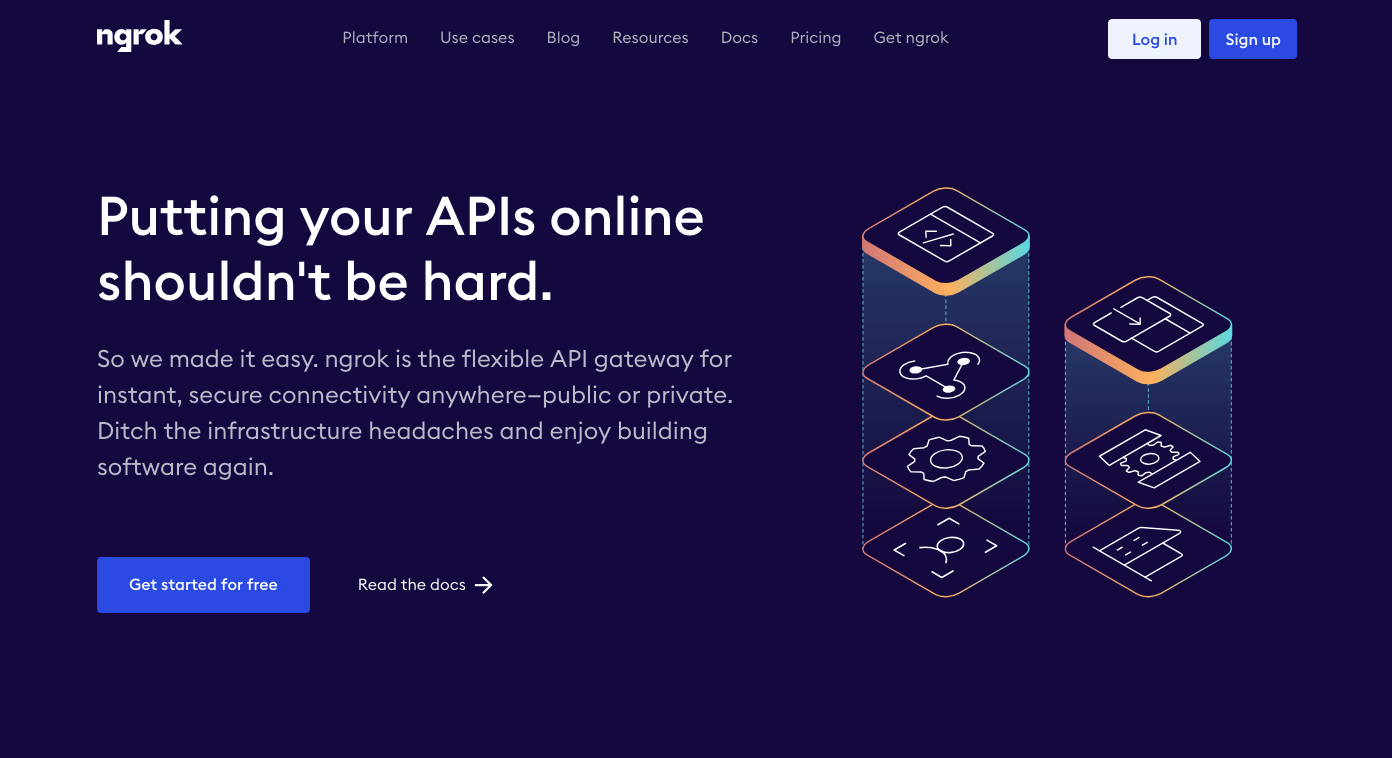
Visit [ngrok.com](https://ngrok.com/) and click "Sign up" to create a free account.

<img src="https://files.buildwithfern.com/https://agentmail-production.docs.buildwithfern.com/2d257d7065229b8ebd74abd4f96802eb8eb4f5b04041bbf28a5015a9d171a4ab/assets/webhook-ngrok.png" alt="Ngrok homepage" />

### 1.2 Choose your platform and install

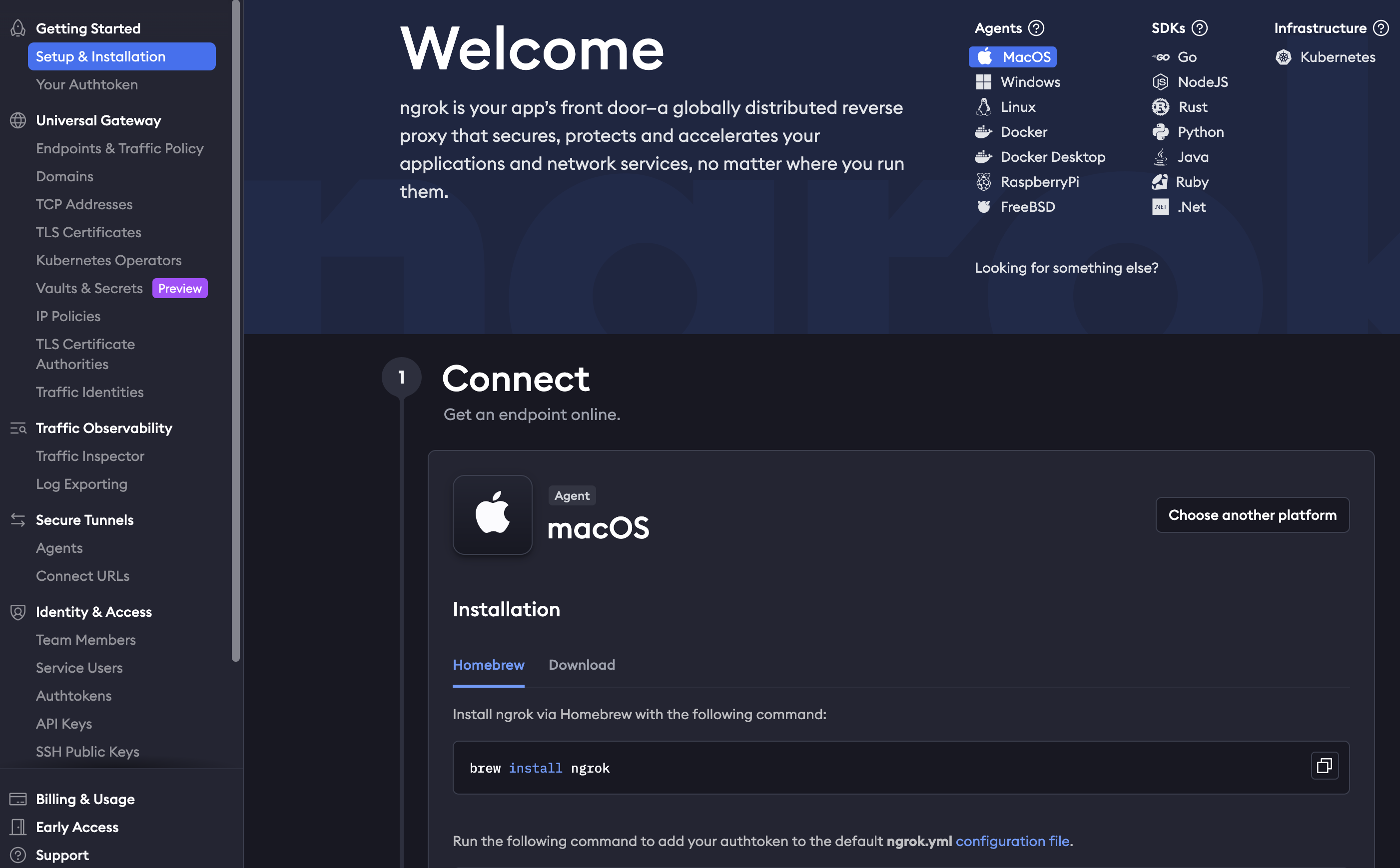
After logging in, ngrok will guide you through the setup process. Select your operating system and follow the installation instructions.
<img src="https://files.buildwithfern.com/https://agentmail-production.docs.buildwithfern.com/f1ecdd69a4ef981c9e2f04c4118cad618f81b7dde98cb6de3c6f4f9a69311c79/assets/webhook-system.png" alt="Ngrok setup instructions" />

For macOS, you can install ngrok via Homebrew:

```bash
brew install ngrok
```

After installation, authenticate ngrok with your authtoken (found in your ngrok dashboard):

```bash
ngrok config add-authtoken YOUR_AUTHTOKEN
```

## Step 2: Creating the inbox on AgentMail

Before you can receive webhooks, you need an inbox to receive messages. Create one using the AgentMail API:

```python
from agentmail import AgentMail

client = AgentMail()

# Create an inbox for your webhook agent
inbox = client.inboxes.create(
    username="webhook-demo",
    client_id="webhook-demo-inbox"  # Ensures idempotency
)

print(f"Inbox created: {inbox.inbox_id}")
```

The `client_id` parameter ensures that running this code multiple times won't create duplicate inboxes. If the inbox already exists, it will return the existing one.

## Step 3: Configuring webhook on AgentMail

### 3.1 Start ngrok tunnel

In your terminal, start an ngrok tunnel to expose your local server (we'll use port 3000):

```bash
ngrok http 3000
```

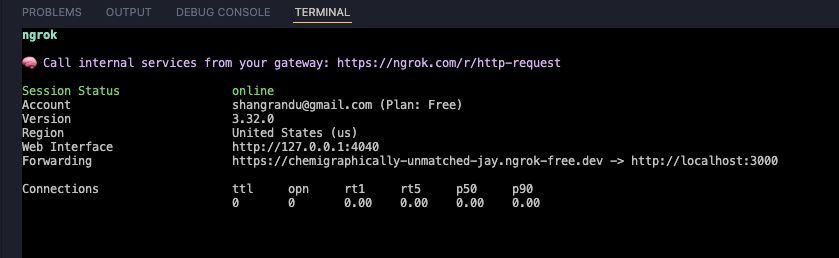
You should see output similar to this:
<img src="https://files.buildwithfern.com/https://agentmail-production.docs.buildwithfern.com/c0d9867ce68c17edeea7a4e7bc2204c38c2cb9a3a819fe68199c542d28293dd1/assets/webhook-console.png" alt="Ngrok terminal output" />

Copy the **Forwarding URL** (e.g., `https://your-subdomain.ngrok-free.app`). This is the public URL that AgentMail will use to send webhooks.

<Callout intent="info" title="Use localhost for testing">
  When viewing your webhook receiver in the browser, use the `http://127.0.0.1:3000` URL shown in the "Web Interface" line, not the ngrok URL. The ngrok URL is only for external services like AgentMail.

  **Why localhost?** Safari is stricter than Chrome/Firefox when viewing development servers through HTTPS ngrok tunnels. Safari blocks local WebSockets and some dev-only scripts, which causes the page to show a loading spinner indefinitely due to Hot Module Replacement (HMR). This is expected development behavior and not a documentation issue. Using localhost or static builds avoids this problem.
</Callout>

### 3.2 Register webhook with AgentMail

Now register your webhook endpoint with AgentMail:

```python
# Using the ngrok URL you copied
webhook_url = "https://your-subdomain.ngrok-free.app/webhooks"

webhook = client.webhooks.create(
    url=webhook_url,
    event_types=["message.received"],  # add others (e.g. message.sent) as needed
    client_id="webhook-demo-webhook"  # Ensures idempotency
)

print(f"Webhook created: {webhook.webhook_id}")
```

## Step 4: Code example for receiving webhooks

Create a file named `webhook_receiver.py` with the following code:

```python
from flask import Flask, request, Response

app = Flask(__name__)

@app.route('/')
def home():
    """Status page to verify server is running"""
    return """
    <html>
    <body style="font-family: sans-serif; max-width: 800px; margin: 50px auto; padding: 20px;">
        <h1>AgentMail Webhook Receiver</h1>
        <div style="background: #4CAF50; color: white; padding: 10px 20px;
                    border-radius: 4px; display: inline-block; margin: 20px 0;">
            Server is running
        </div>
        <div style="background: #e3f2fd; padding: 15px; border-radius: 4px;
                    border-left: 4px solid #2196F3;">
            <h3>Webhook Endpoint Ready</h3>
            <p>Your webhook endpoint is listening at: <code>POST /webhooks</code></p>
        </div>
        <h3>How to use:</h3>
        <ul>
            <li>Start ngrok: <code>ngrok http 3000</code></li>
            <li>Register your webhook with AgentMail using the ngrok URL</li>
            <li>Send a test email to your AgentMail inbox</li>
            <li>Watch the console for incoming webhook events</li>
        </ul>
    </body>
    </html>
    """

@app.route('/webhooks', methods=['POST'])
def receive_webhook():
    """Receives webhook events from AgentMail"""
    payload = request.json

    event_type = payload.get('event_type')
    message = payload.get('message', {})

    print(f"\nWebhook received: {event_type}")
    print(f"From: {message.get('from_')}")
    print(f"Subject: {message.get('subject')}\n")

    return Response(status=200)

if __name__ == '__main__':
    print("Starting webhook receiver on http://127.0.0.1:3000")
    app.run(port=3000)
```

### Running your webhook receiver

1. Make sure ngrok is running in one terminal window
2. In another terminal, run your webhook receiver:

```bash
python webhook_receiver.py
```

3. Send a test email to your AgentMail inbox
4. Watch the console output for incoming webhook events

### Viewing the result

Open your browser and visit `http://127.0.0.1:3000` to see the status page confirming your webhook receiver is running:

<img src="https://files.buildwithfern.com/https://agentmail-production.docs.buildwithfern.com/d7c7b41d1738e174e482ce9531f4a706e0d4da350a9ec7545215789633fb09ae/assets/webhook-result.png" alt="Webhook receiver status page" />

## Testing Your Setup

To test your webhook setup:

1. Send an email to your inbox address (e.g., `webhook-demo@agentmail.to`)
2. Check your webhook receiver's console output
3. You should see the webhook event details printed immediately

<Callout intent="success" title="Next Steps">
  Now that your webhook is working, you can extend the `receive_webhook()` function to:

  * Automatically reply to messages
  * Process attachments
  * Route emails to different handlers based on content
  * Integrate with your AI agent workflows

  Check out the [Event-Driven Agent Example](/webhook-agent) for a more advanced implementation.
</Callout>

## Troubleshooting

<AccordionGroup>
  <Accordion title="Webhook not receiving events">
    * Verify ngrok is running and the forwarding URL matches your webhook registration
    * Check that your Flask app is running on the correct port (3000)
    * Ensure your webhook URL ends with `/webhooks`
    * Look for errors in both the Flask console and ngrok web interface
  </Accordion>

  <Accordion title="Ngrok tunnel disconnects">
    Free ngrok accounts have 2-hour session limits. The tunnel will disconnect and you'll need to restart ngrok and update your webhook URL with AgentMail.
  </Accordion>

  <Accordion title="Port already in use">
    If port 3000 is already in use, choose a different port:

    * Change the port in `app.run(port=XXXX)`
    * Update the ngrok command: `ngrok http XXXX`
  </Accordion>
</AccordionGroup>

## Copy for Cursor / Claude

Copy one of the blocks below into Cursor or Claude for webhook setup in one shot.

<CodeBlocks>
  ```python title="Python"
  """
  AgentMail Webhook Setup — copy into Cursor/Claude.

  Flow: 1) ngrok http 3000 → copy URL. 2) inboxes.create(client_id=...) 3) webhooks.create(url=ngrok+/webhooks, event_types=[...], client_id=...)
  4) Flask POST /webhooks: return 200 immediately, process request.json in background.
  Local: use http://127.0.0.1:3000 in browser, not ngrok URL.
  """
  from flask import Flask, request, Response
  from agentmail import AgentMail

  app = Flask(__name__)
  client = AgentMail()

  inbox = client.inboxes.create(username="webhook-demo", client_id="webhook-demo-inbox")
  wh = client.webhooks.create(url="https://YOUR_NGROK.ngrok-free.app/webhooks", event_types=["message.received"], client_id="webhook-demo-webhook")

  @app.route("/webhooks", methods=["POST"])
  def receive():
    payload = request.json
    print(payload.get("event_type"), payload.get("message", {}).get("subject"))
    return Response(status=200)
  ```

  ```typescript title="TypeScript"
  /**
   * AgentMail Webhook Setup — copy into Cursor/Claude.
   *
   * Flow: 1) ngrok http 3000. 2) inboxes.create({ clientId }). 3) webhooks.create({ url, eventTypes, clientId })
   * 4) Express POST /webhooks: res.status(200).send(), process req.body async.
   * Use express.raw() if you add Svix verification later.
   */
  import express from "express";
  import { AgentMailClient } from "agentmail";

  const client = new AgentMailClient({ apiKey: process.env.AGENTMAIL_API_KEY! });
  const inbox = await client.inboxes.create({ username: "webhook-demo", clientId: "webhook-demo-inbox" });
  await client.webhooks.create({
    url: "https://YOUR_NGROK.ngrok-free.app/webhooks",
    eventTypes: ["message.received"],
    clientId: "webhook-demo-webhook",
  });

  const app = express();
  app.post("/webhooks", express.json(), (req, res) => {
    console.log(req.body.event_type, req.body.message?.subject);
    res.status(200).send();
  });
  app.listen(3000);
  ```
</CodeBlocks>

## Production Considerations

For production deployments:

* **Use a dedicated server**: Deploy your webhook receiver to a cloud service (AWS, GCP, Heroku, etc.) instead of using ngrok
* **Implement webhook verification**: [Validate incoming requests](/webhook-verification) are authentically from AgentMail
* **Add error handling**: Implement retry logic and error reporting
* **Use async processing**: Return 200 immediately and process webhooks in background jobs
* **Hydrate messages via the API**: Webhook payloads are capped at 1 MB. When this limit is exceeded, the `text` and `html` body fields are omitted from the payload. Use the [Get Message](/api-reference/messages/get) endpoint to fetch the complete message content, including the full body and attachments. See [Payload size limit](/overview#payload-size-limit) for details
* **Monitor webhook health**: Set up logging and alerting for failed webhook deliveries

<CardGroup>
  <Card title="Verifying Webhooks" href="/webhook-verification">
    Learn how to verify webhook signatures for secure endpoints.
  </Card>

  <Card title="Webhooks Overview" href="/webhooks-overview">
    Learn more about how webhooks work and their payload structure.
  </Card>

  <Card title="Webhook Events" href="/events">
    Explore the full list of webhook event types.
  </Card>
</CardGroup>